Entities and Entity Patterns
Entities and entity patterns are the abstraction layer between the &Money platform and your CRM. They let playbooks, portals, and other platform features read and write CRM data without being tied to a specific CRM system like Salesforce or Dynamics 365.
This page explains the model conceptually. For how entity patterns are used inside playbooks, see the block type reference in the playbook introduction.
The Two-Level Model
The system has two layers:
Entity Definitions     →  "What CRM objects and fields exist"
Entity Patterns        →  "How to combine them for a specific task"
Entity definitions describe individual CRM objects — an Account, a Contact, an Event. They map abstract field names to CRM-specific field names so the rest of the platform doesn’t need to know whether you’re using Salesforce custom fields or Dynamics columns.
Entity patterns compose one or more entity definitions into a reusable operation. For example, a “Create Meeting with Account” pattern might involve creating an Event record and linking it to an existing Account — the pattern defines which entities are involved, how they relate, and in what order they should be processed.
Entity Definitions
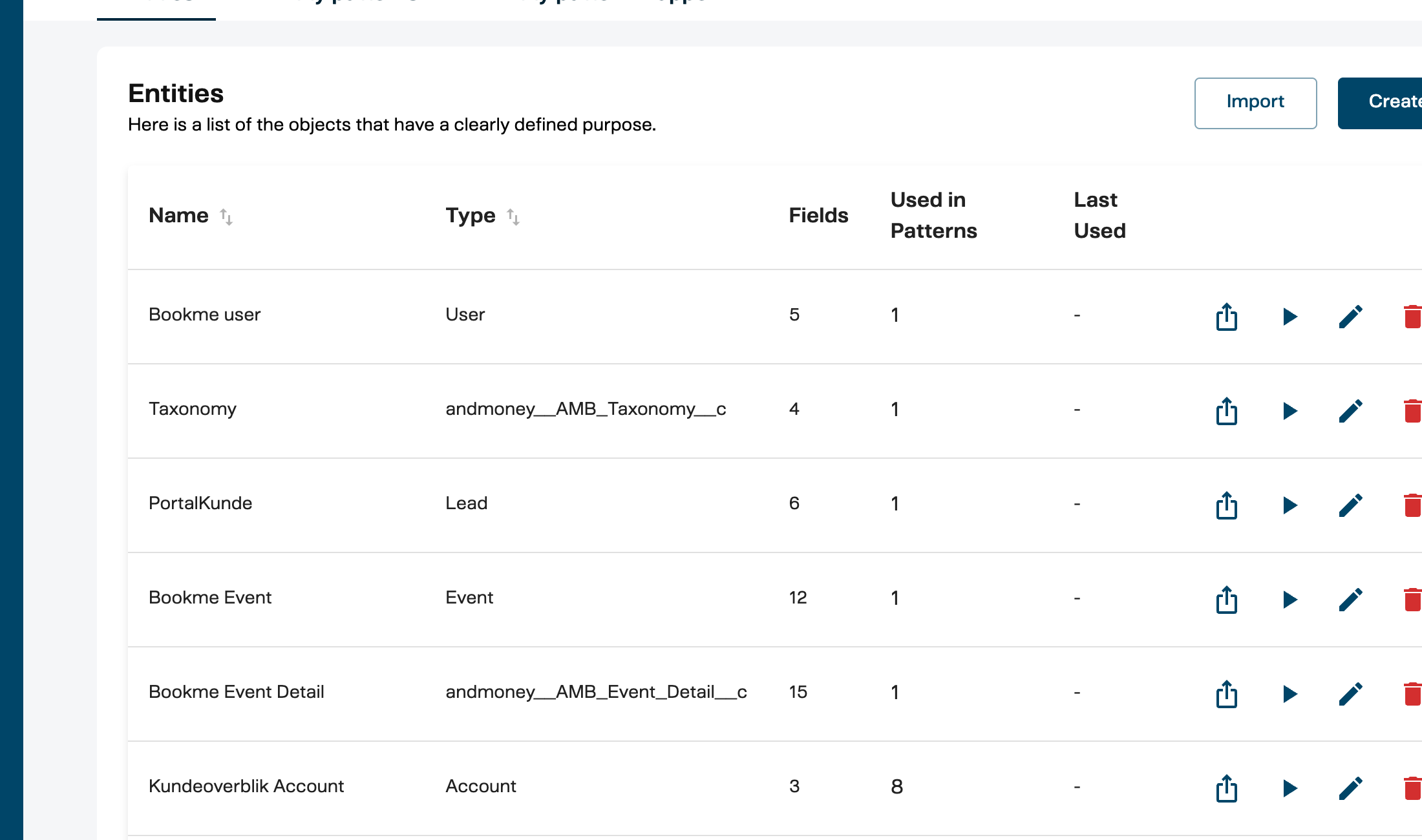
An entity definition represents a single CRM object type. It is configured under Admin > Entities > Entity Definitions.
What it contains
| Property | What it means |
|---|---|
| Name | A human-readable label (e.g., “Account”, “Contact”, “Event”) |
| Type | The CRM entity type this maps to (e.g., Account, Contact, Event__c) |
| CRM System | Which CRM this definition targets (Salesforce, Dynamics, etc.) |
| Fields | The list of fields available on this entity |
Fields
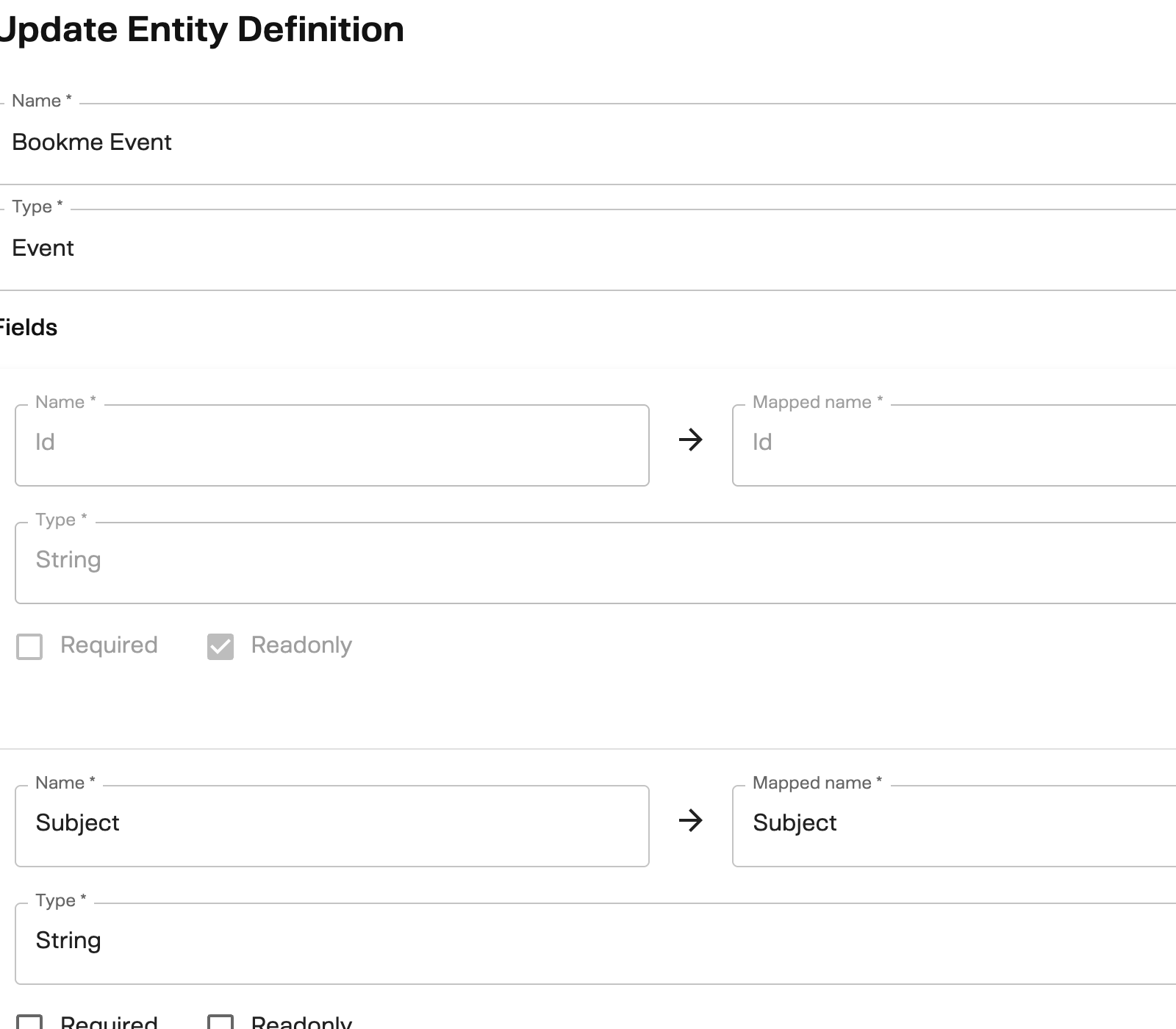
Each field in an entity definition maps an abstract field name (used by the platform) to a CRM field name (used by the actual CRM system).
| Field property | What it means |
|---|---|
| Name | The platform-facing name (e.g., Email, Name, BookingId) |
| Mapped name | The CRM-specific field name (e.g., Email__c in Salesforce, emailaddress1 in Dynamics) |
| Field type | The data type: String, Boolean, Int, Double, or DateTime |
| Required | Whether this field must be provided when creating/updating |
| Read-only | Whether this field can only be read, not written |
This mapping is what makes the platform CRM-agnostic. A playbook that reads Email from a Contact entity works identically whether your CRM stores that field as Email, Email__c, or emailaddress1 — the entity definition handles the translation.
Entity definitions are portable across environments. Each definition has a semantic ID that allows it to be exported from one bank and imported into another without losing its identity.
Entity Patterns
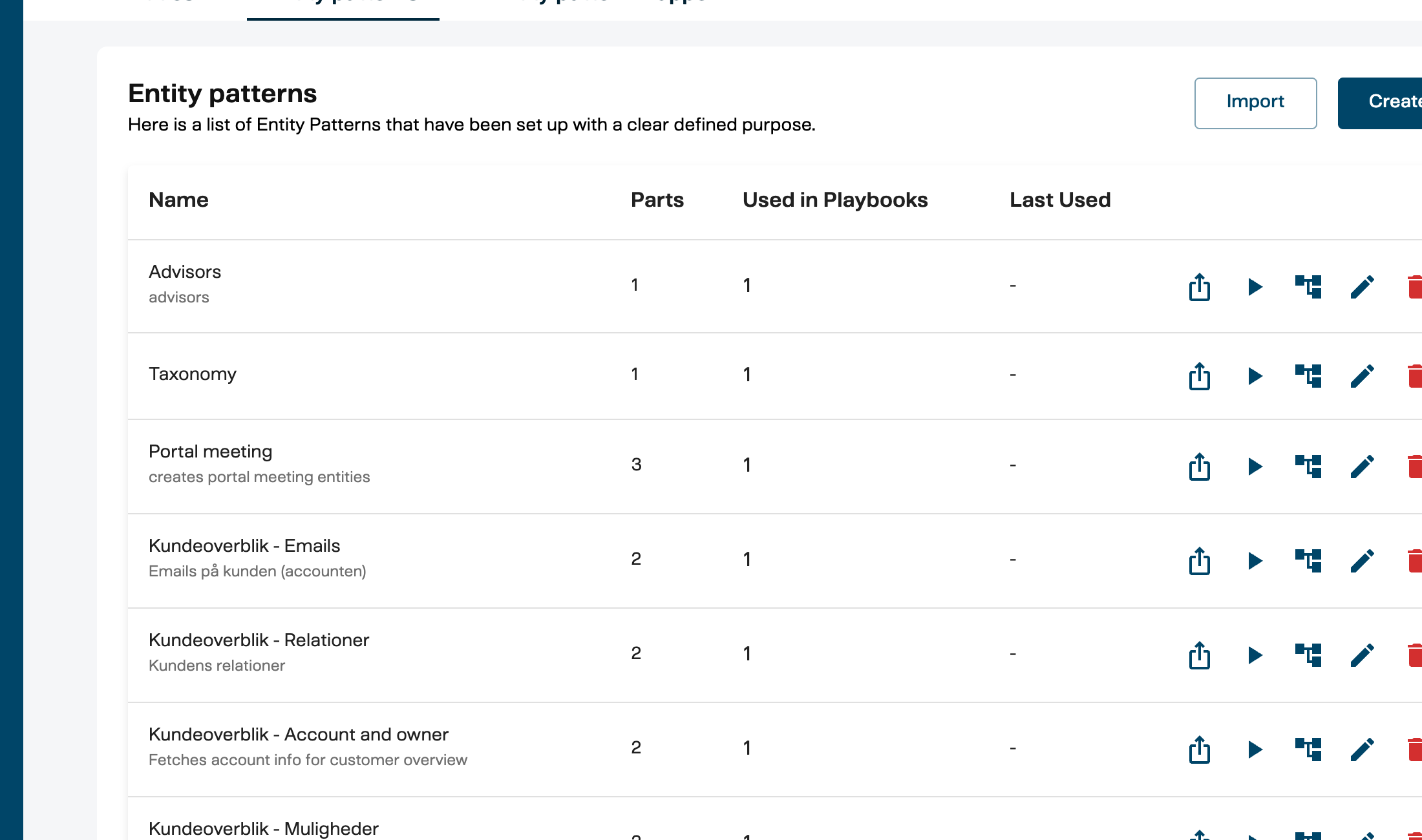
An entity pattern is a blueprint that orchestrates one or more entity definitions into a single operation. It is configured under Admin > Entities > Entity Patterns.
Why patterns exist
Most real-world CRM operations involve more than one entity. To create a meeting record in Salesforce, you might need to:
- Look up the Account by ID
- Create an Event linked to that Account
- Create EventRelation records for each attendee
An entity pattern defines all of this as a single reusable unit — which entities are involved, how they reference each other, and in what order they should be processed.
What it contains
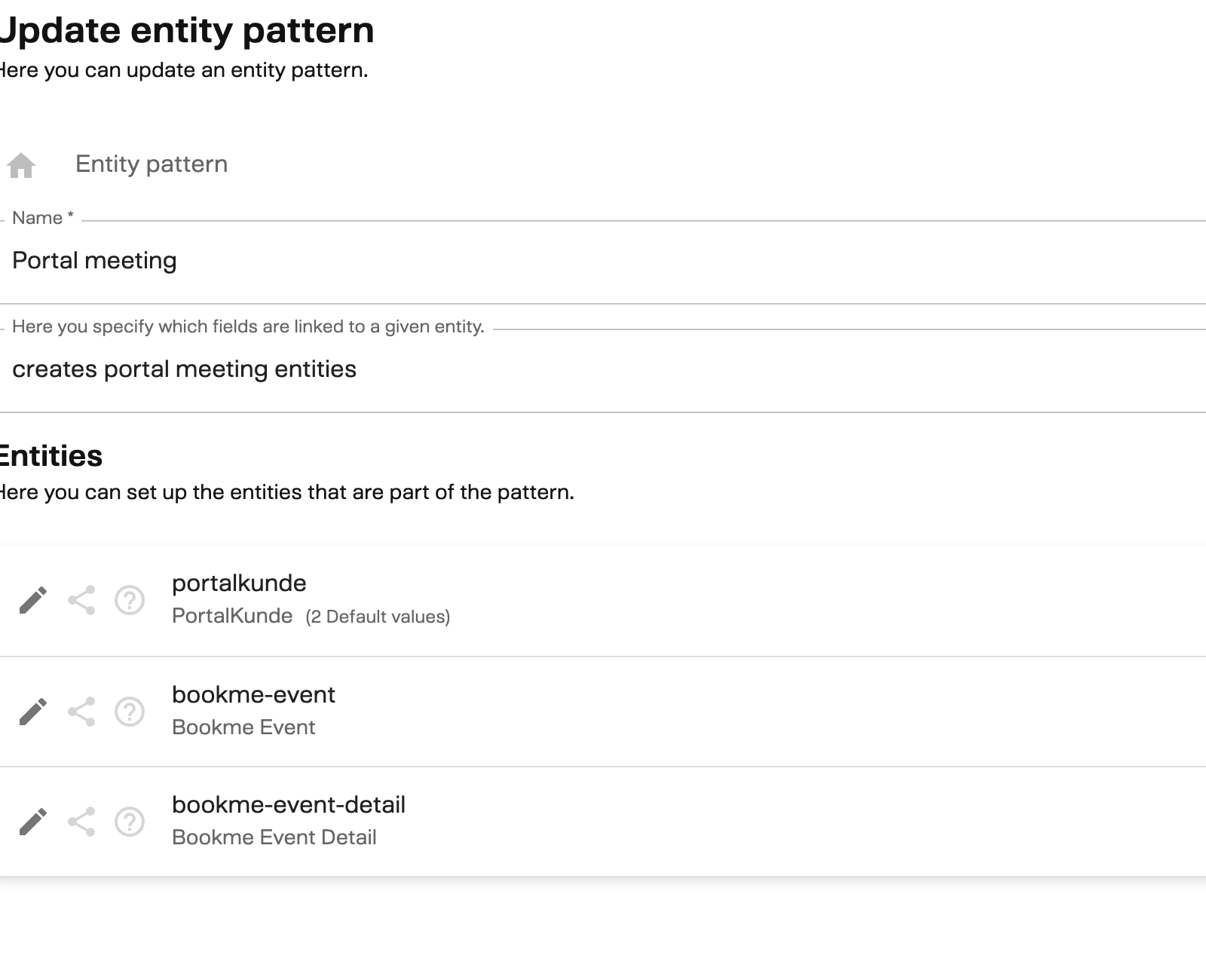
| Property | What it means |
|---|---|
| Name | A descriptive label (e.g., “BookMe Meeting”, “Customer Account Lookup”) |
| Description | Optional explanation of what this pattern does |
| Pattern parts | The entity slots — each one references an entity definition |
| Field requirements | The relationships between pattern parts (how entities link to each other) |
Pattern Parts
Each pattern part is a slot within a pattern that says “this operation involves one instance of this entity type, with these settings.”
| Property | What it means |
|---|---|
| Reference ID | An internal label used to wire parts together (e.g., refAccount, refEvent) |
| Entity definition | Which entity type this part uses |
| Read-only | If true, this entity can be queried but not modified |
| Allows multiple | If true, the operation can create or return multiple instances of this entity |
| Optional | If true, this part can be skipped without failing the operation |
| Default values | Pre-set field values that are always applied |
| Query modifier | For read operations: sort field, sort direction, and record limit |
Field Requirements (Relationships)
Field requirements define how pattern parts link to each other. They express relationships like “the Event’s AccountId must equal the Account’s Id.”
Each requirement specifies:
- Part and field — which pattern part and which field on it (e.g., Event.AccountId)
- References — which other part and field it must match (e.g., Account.Id)
- Operation — the comparison (currently
Equals) - Optional — whether this link is required or can be skipped
These relationships drive the execution order. The system builds a dependency graph from the field requirements and processes entities in the correct sequence — for example, it creates the Account first so that its ID is available when creating the Event.
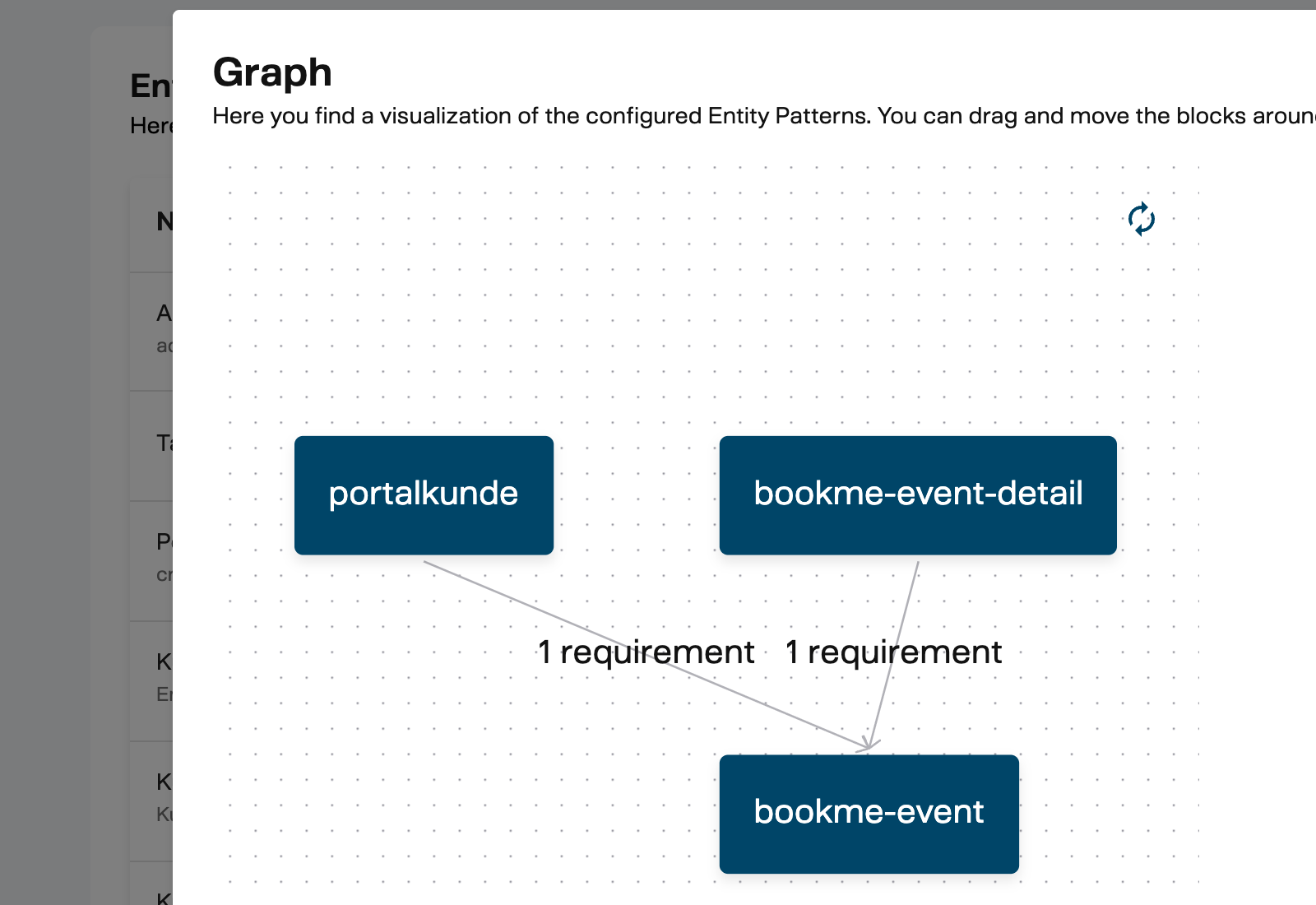
Field requirements are directional. If Event.AccountId references Account.Id, the system knows Account must exist before Event can be created. For read operations, the system follows these links in both directions to fetch related data.
How Operations Work
When a playbook block (or any other platform feature) executes an entity pattern operation, the system:
- Loads the pattern definition — retrieves all pattern parts, field requirements, and entity definitions
- Builds a dependency graph — determines the correct processing order based on field requirements
- Executes in order — processes each pattern part in dependency order, passing resolved values (like a newly created record’s ID) to dependent parts
- Returns results — provides the created/fetched/updated record IDs and field values
Read operations
The system traverses the dependency graph to determine which entities to query and in what order. Query modifiers (sort, limit) are applied per pattern part. Field requirements act as join conditions — if Event.AccountId references Account.Id, the system fetches the Account first and uses its ID to filter Events.
Create operations
Entities are created in dependency order. If Event depends on Account (via Event.AccountId = Account.Id), the Account is created first. Its new CRM record ID is then injected into the Event’s AccountId field before the Event is created.
Update operations
Similar to create, but targets existing records by ID. The system applies field value changes to each pattern part’s entity in dependency order.
Filter operations
Filters define query conditions (field, operator, value) that narrow down read results. In playbooks, an EntityPatternFilter block produces filter criteria that an EntityPatternRead block consumes — reducing the data volume early in the flow.
The Describe Endpoint
Entity patterns expose a describe endpoint that returns metadata about what fields a pattern expects. This is what powers the Relation Builder in the playbook editor — when you click the pencil icon to pick a field, the editor calls describe to fetch the available fields dynamically.
The describe response includes, for each pattern part:
- The reference ID and CRM entity type
- Whether it allows multiple instances
- Whether it requires an instance ID (for updates)
- A list of fields with their names, types, and whether they’re required or read-only
This means the field picker in the playbook editor always reflects the actual entity pattern configuration — if an admin adds a new field to an entity definition, it automatically appears in the Relation Builder.
Configuration in Admin
Entity definitions and entity patterns are managed under Admin > Entities in the Management UI.
Entity Definitions page
- Create a new entity definition by specifying the CRM entity type and adding fields with their CRM mappings
- Import an entity definition exported from another environment
- Export a definition for transfer to another bank or environment
Entity Patterns page
- Create a new pattern by composing pattern parts, defining field requirements, and setting defaults
- Test a pattern with sample data to verify it works correctly against your CRM
- Visualize the dependency graph to see how pattern parts relate to each other
- Import/Export patterns across environments using semantic IDs
When a playbook is imported into a new environment, entity patterns referenced by playbook blocks can be automatically provisioned if the export includes resource definitions. See Import and Export in the playbook user guide.
Related Documentation
- Introduction to Playbooks — Block Types — how EntityPatternRead, Create, Update, and Filter blocks use entity patterns
- Playbooks Integrations — Entity Pattern Integration — integration details for CRM blocks
- CRM Integration Security — security model for CRM data access
- Setup Entity Pattern Mappers — operational guide for setting up mappers in a new bank