Managed Playbooks
Playbooks marked as Managed are deployed and maintained by &Money. This page explains the badges you’ll see and what actions are available.
Badges
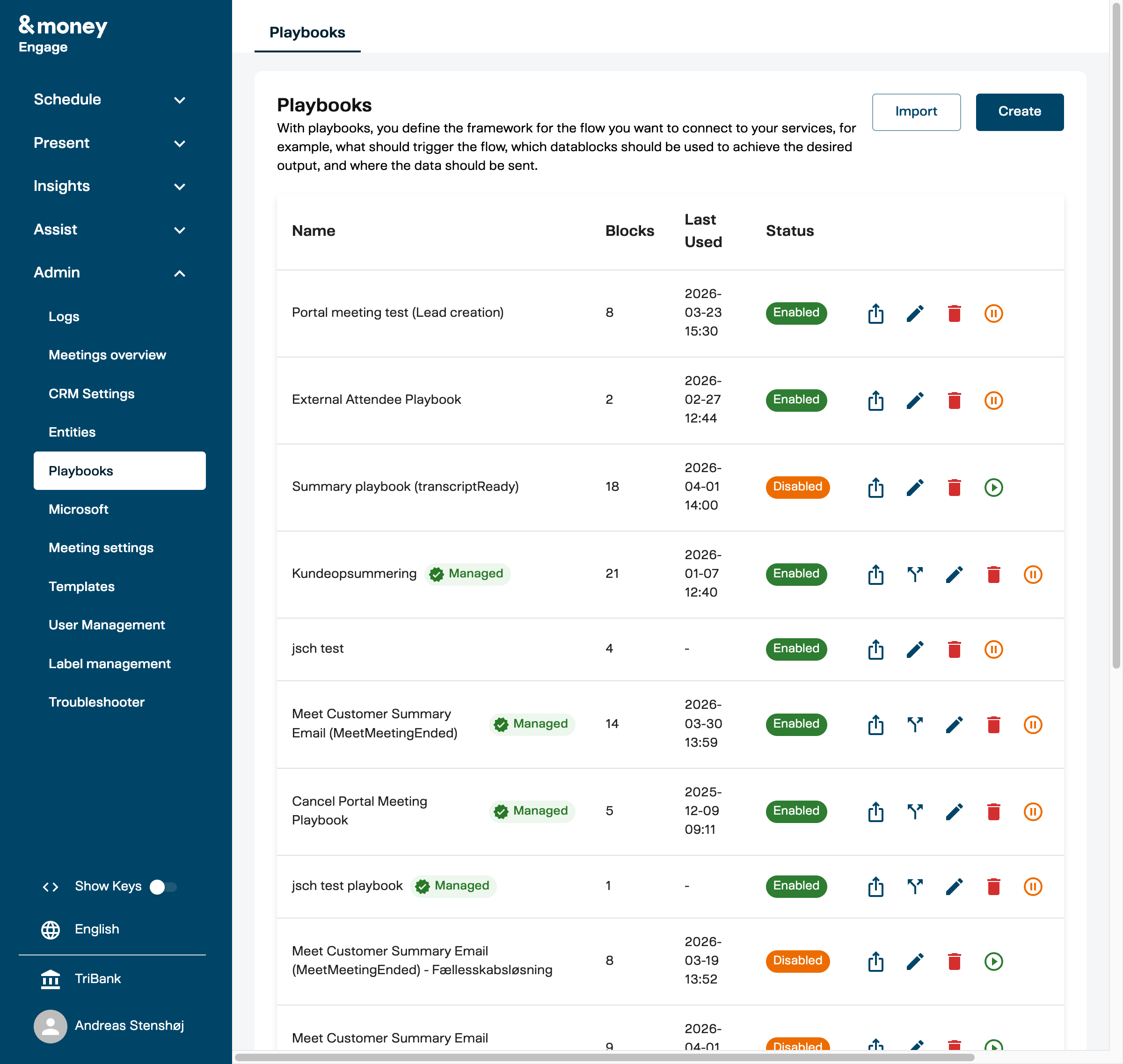
| Badge | Meaning |
|---|---|
| ● Managed (checkmark) | Deployed by &Money. Read-only. Hover for the package + version it came from. |
| ● Forked (fork icon) | Your editable copy of a managed playbook. Independent of the original. |
| ● Update Available (replaces the Forked badge) | A newer version of the original has been published. Hover for the version comparison (“You’re on v2, latest is v4”). |
A managed playbook with no badge means there’s nothing notable; the standard playbook actions apply.
What you can do with a managed playbook
| Action | Available |
|---|---|
| View it | ✅ |
| Run it (when triggered) | ✅ |
| Export it (Open visibility only) | ✅ |
| Edit blocks or settings | ❌ — fork to customize |
| Delete it | ❌ |
A few managed playbooks are marked Proprietary — block contents are hidden, and you can’t fork them. The rest are Open, meaning you can read every block and fork freely.
Forking a managed playbook
Forking creates an editable copy that belongs to your bank.
- Find the managed playbook in your list and click Fork (the fork icon in the action row).
-
The Fork Playbook dialog opens, showing the playbook name and the source package + version:
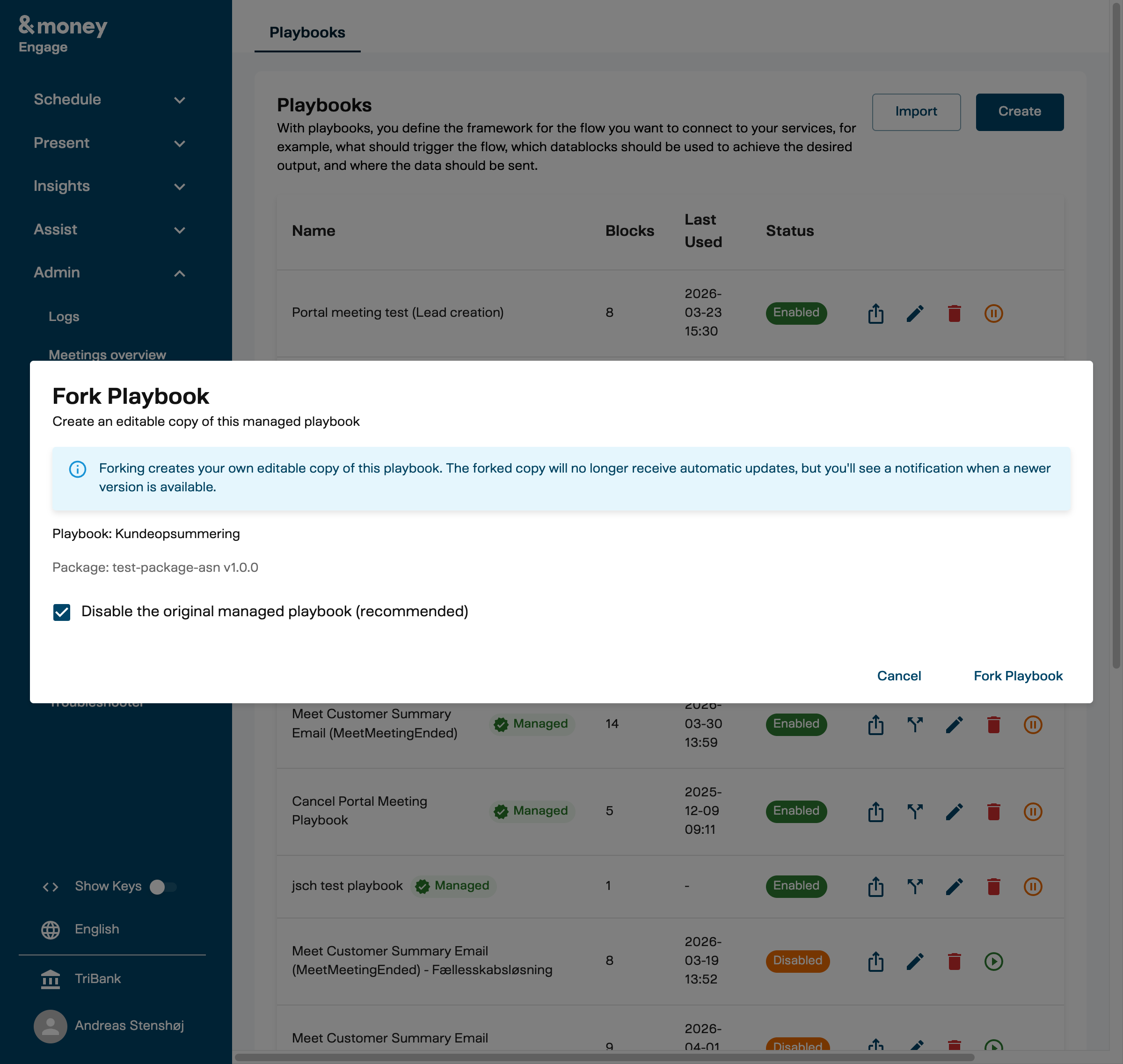
- Disable the original managed playbook (recommended) is ticked by default — your fork takes over and the managed original is hidden from your playbook list. Uncheck it to keep both active in parallel.
- Click Fork Playbook.
Your fork inherits the original’s name; rename it from the playbook list if you want a clearer label.
Forks are independent: they don’t receive automatic updates from &Money, and editing them doesn’t affect the original.
“Update Available” on a fork
When &Money releases a new version of a managed playbook, your fork keeps running unchanged but gets an Update Available badge. The fork never updates automatically — that’s the point of forking.
If you want the new behavior:
- Switch back to the managed version — drop your fork; the managed original takes over again. Contact &Money support.
- Reapply your customizations on top of the new version — manual process; contact &Money support to plan it.
If you want to stay on your fork, no action needed.
FAQ
Why can’t I edit this playbook? It’s marked Managed. Click Fork to create your own editable copy.
Will my fork get updates from &Money? No. You’ll see an “Update Available” badge when a new version is published, but your fork stays as-is.
Can I un-fork? Not in-app. Contact &Money support — we can disable your fork and re-enable the managed original.
Why is this playbook Proprietary? A small number of managed playbooks contain &Money-internal logic (e.g. proprietary AI prompts). You can still run them; only the block contents are hidden. Proprietary playbooks can’t be forked.
Related
- Playbooks User Guide — building and editing playbooks
- Introduction to Playbooks — concepts and blocks